RETRAGREEN RESOURCE LIBRARY // WINDOWS NETWORK GUIDE
Configure the Gateway IP Settings
Record the current Windows network configuration, enter the customer-approved static IPv4 settings and verify that the gateway can reach the BMS network.
Start the visual guide
USE APPROVED VALUES
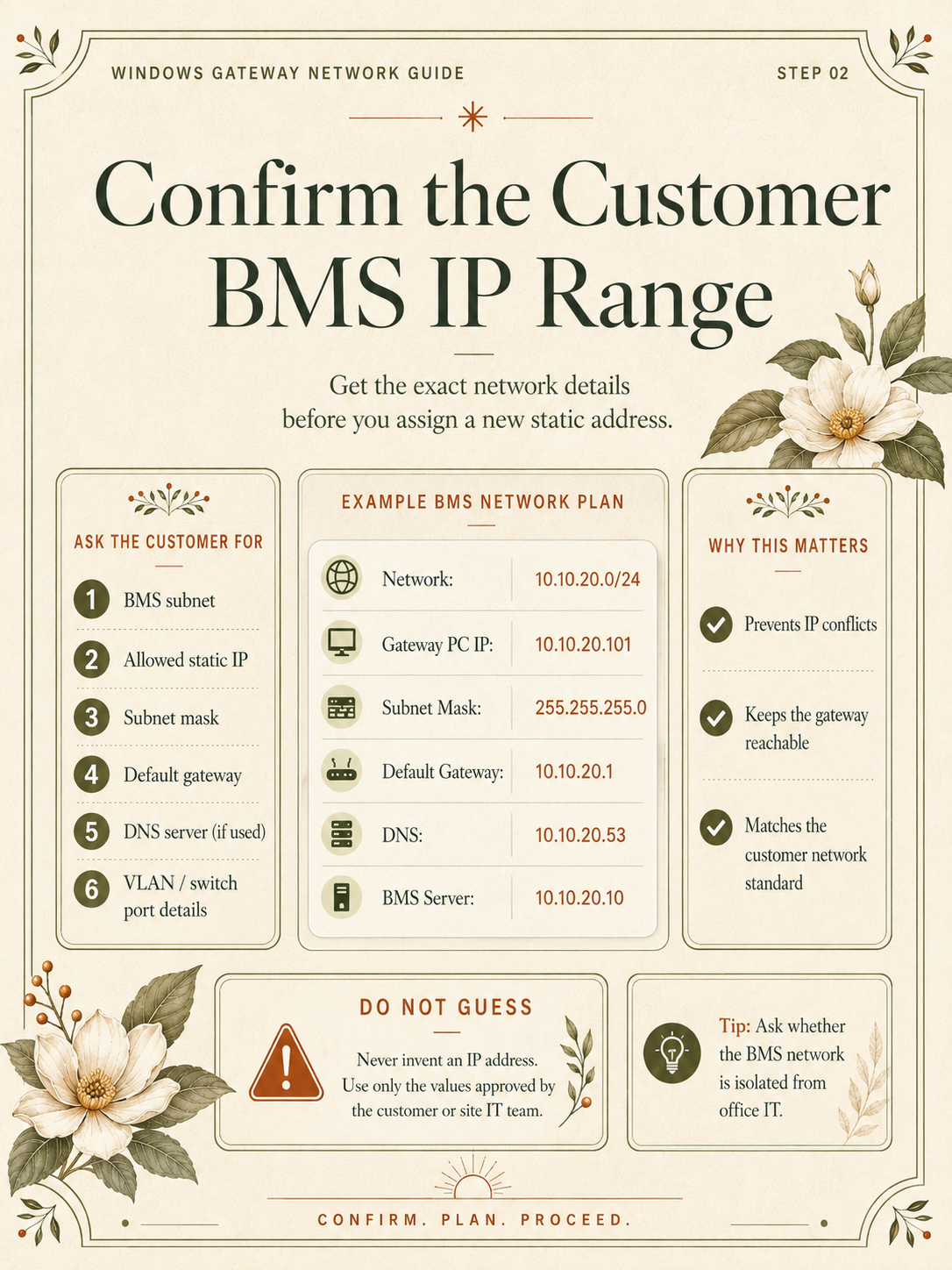
Never guess an IP address. Obtain the subnet, available static IP, gateway, DNS and VLAN details from the customer or site IT team before making changes.
9-PART VISUAL NETWORK GUIDE
Plan. Change. Verify.
Follow the diagrams in filename order to configure a Windows gateway safely and retain a clear rollback path.
-
01
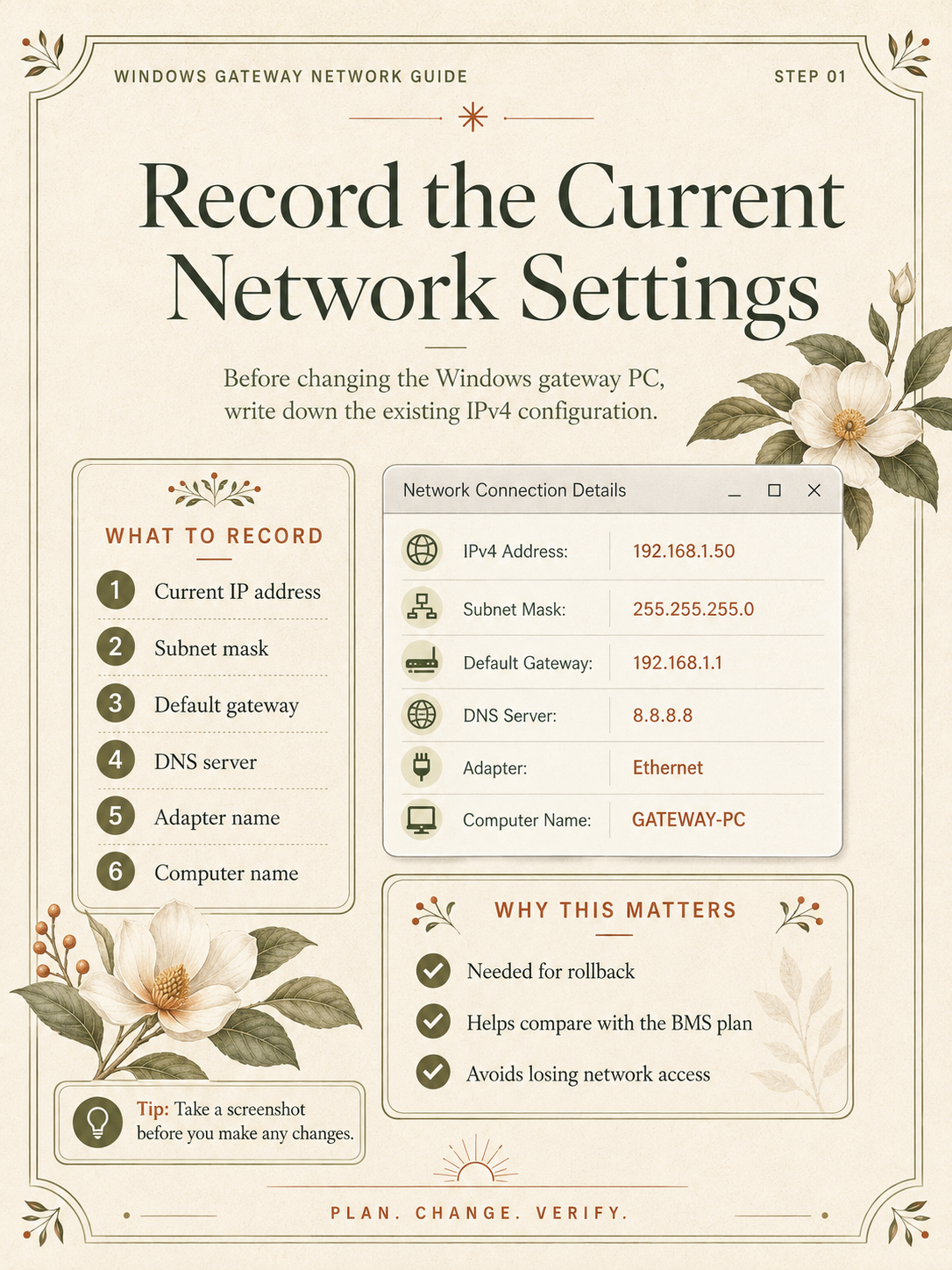
Record the current network settings
-
02
Confirm the customer BMS IP range
-
03
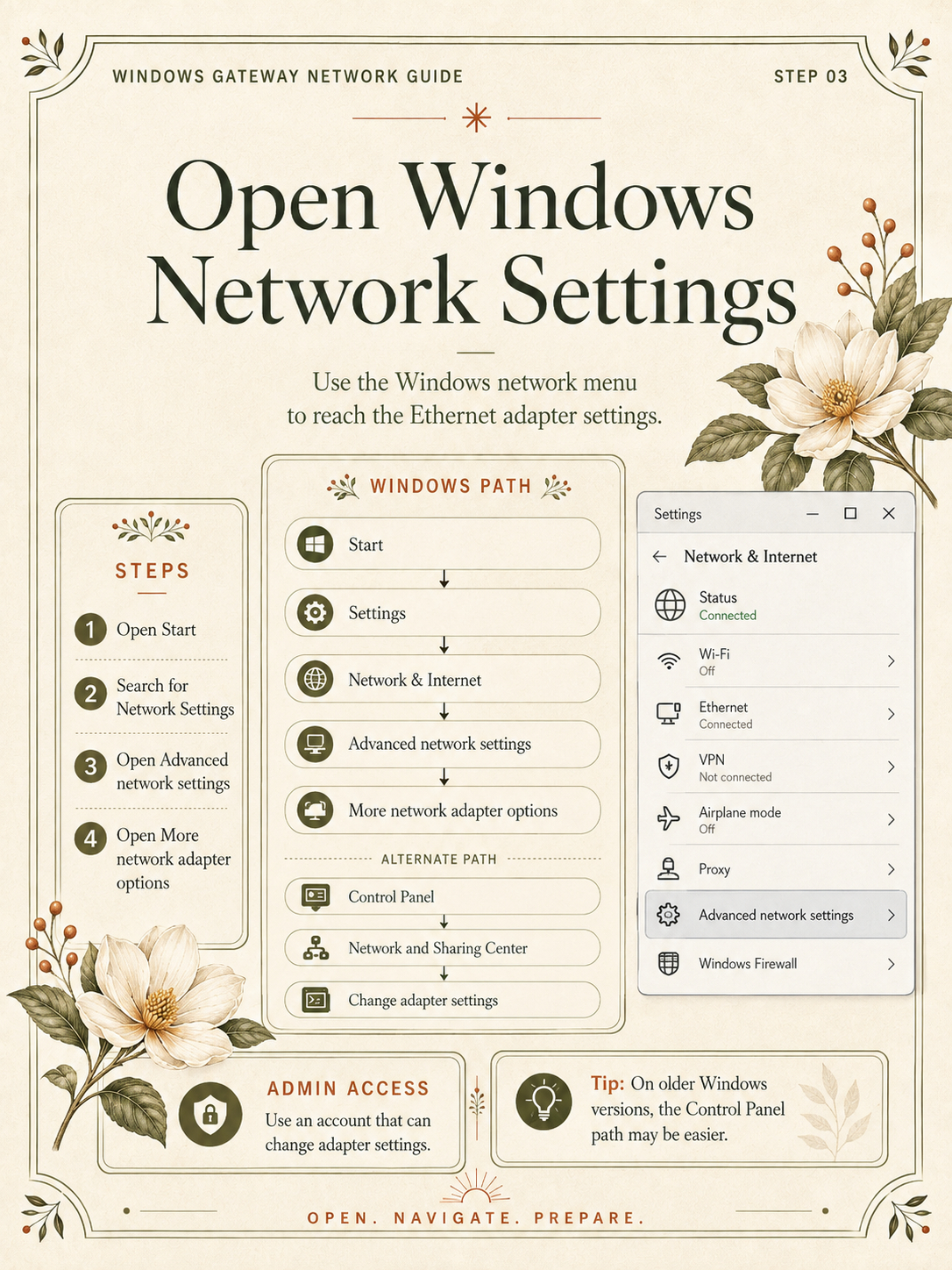
Open Windows network settings
-
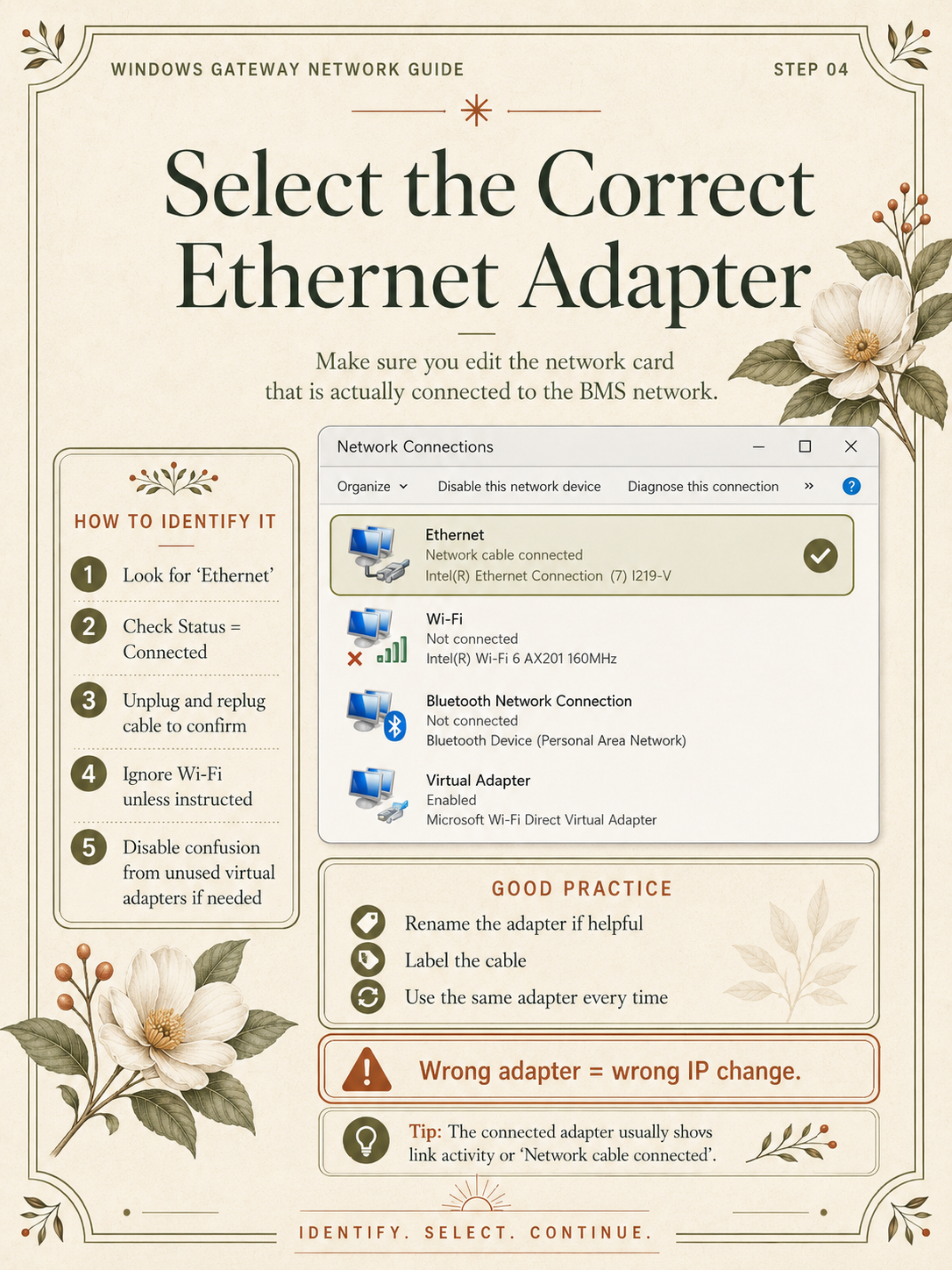
04
Select the correct Ethernet adapter
-
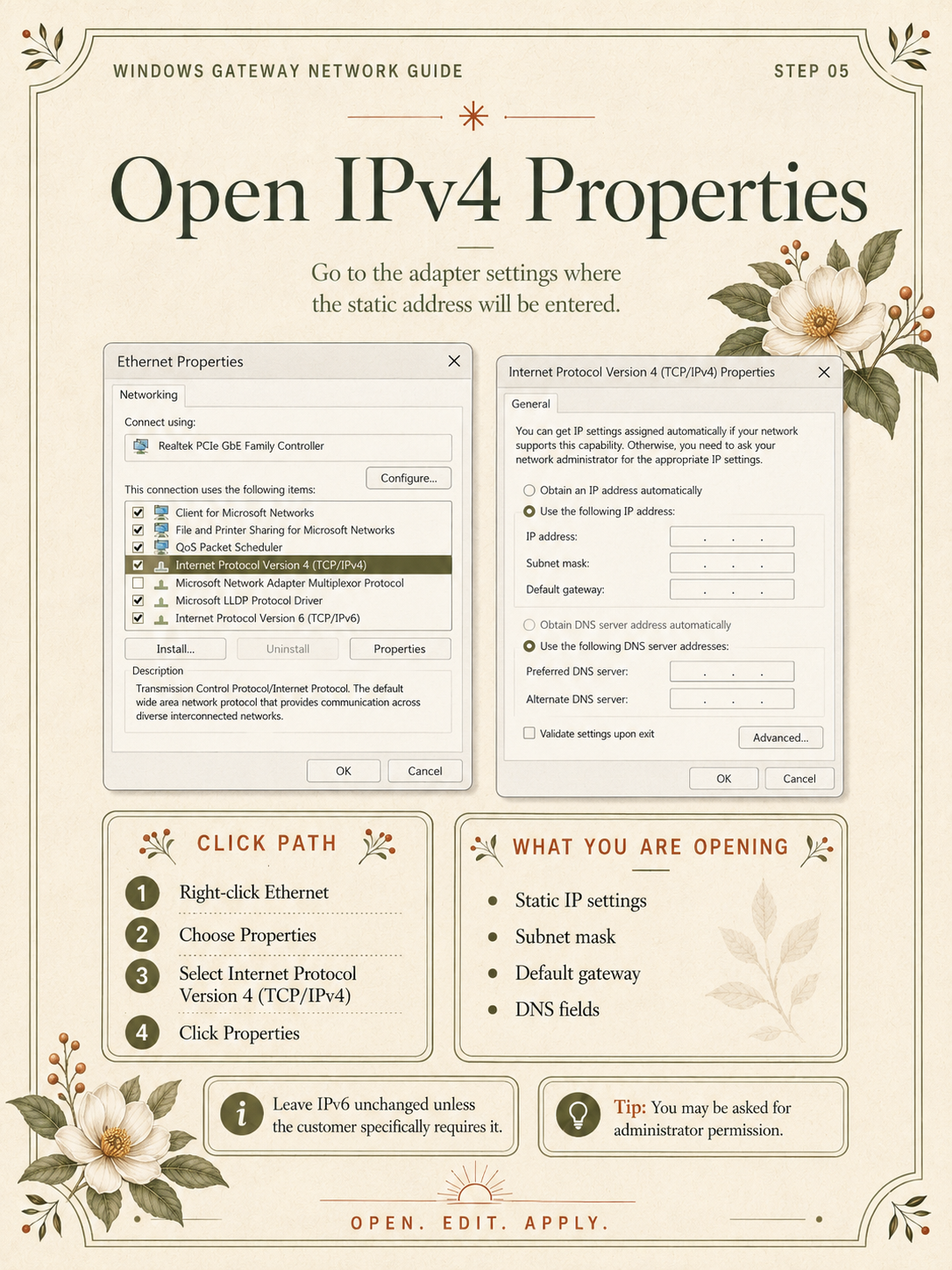
05
Open IPv4 properties
-
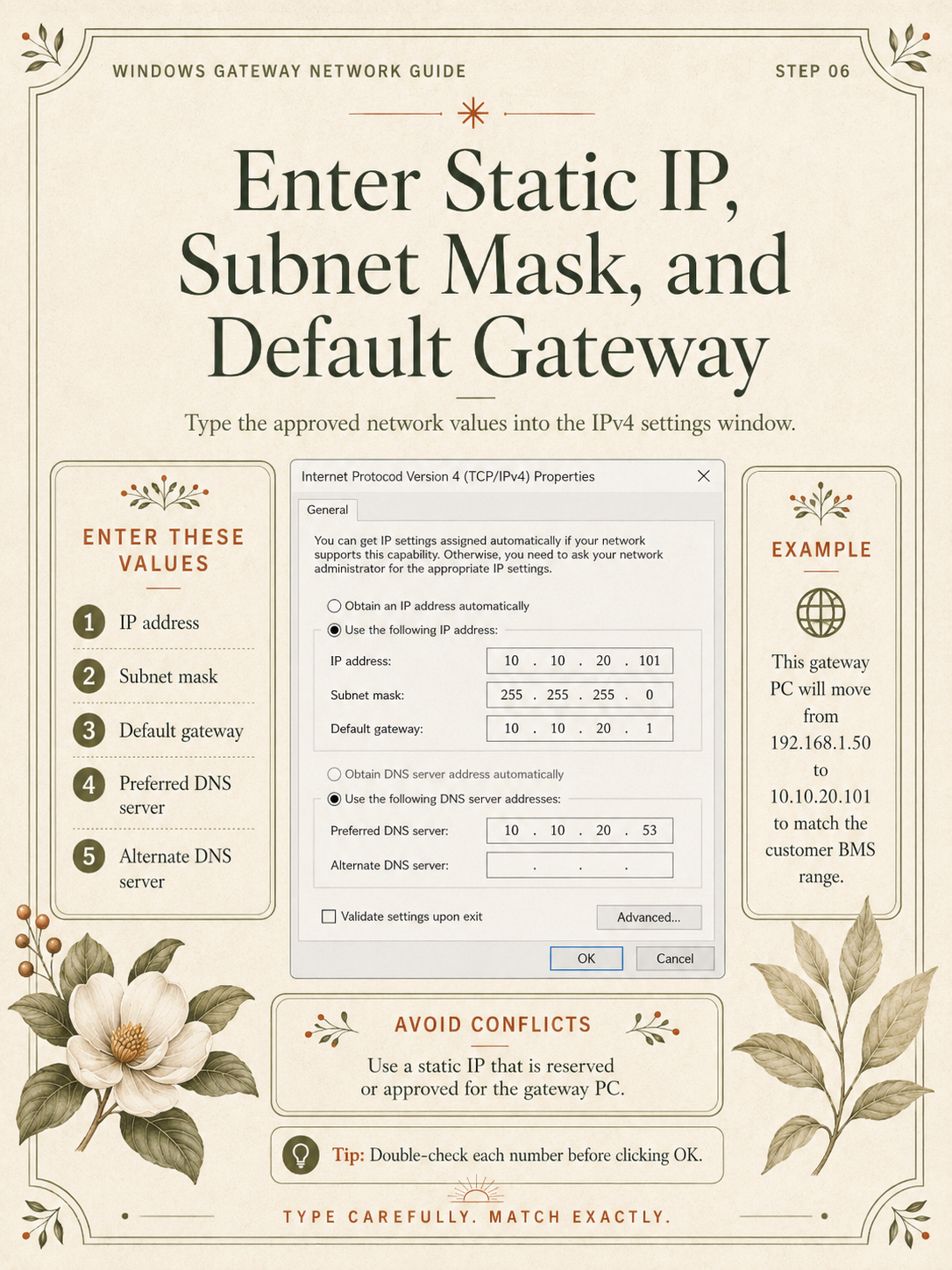
06
Enter the static IP settings
-
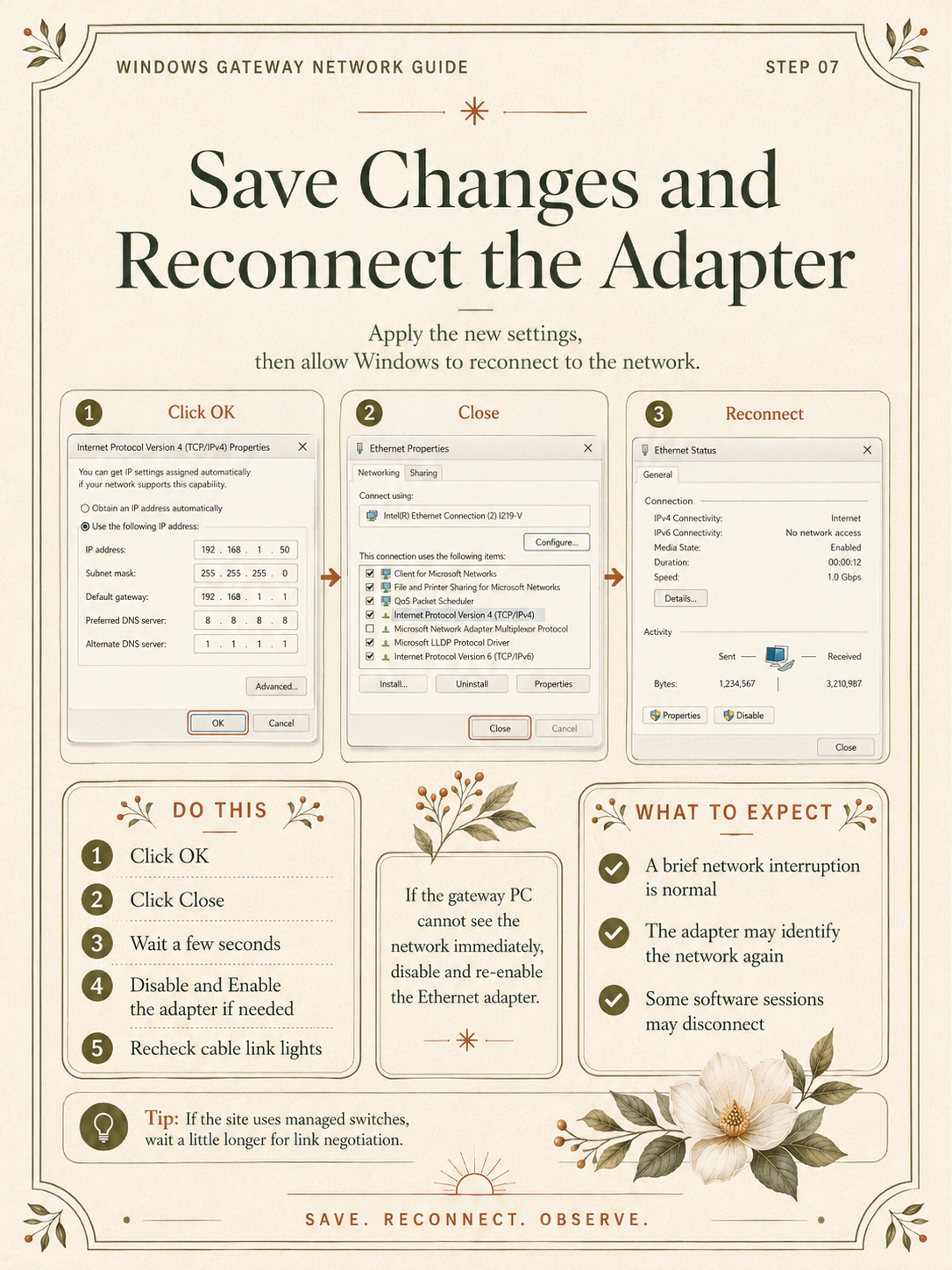
07
Save changes and reconnect the adapter
-
08
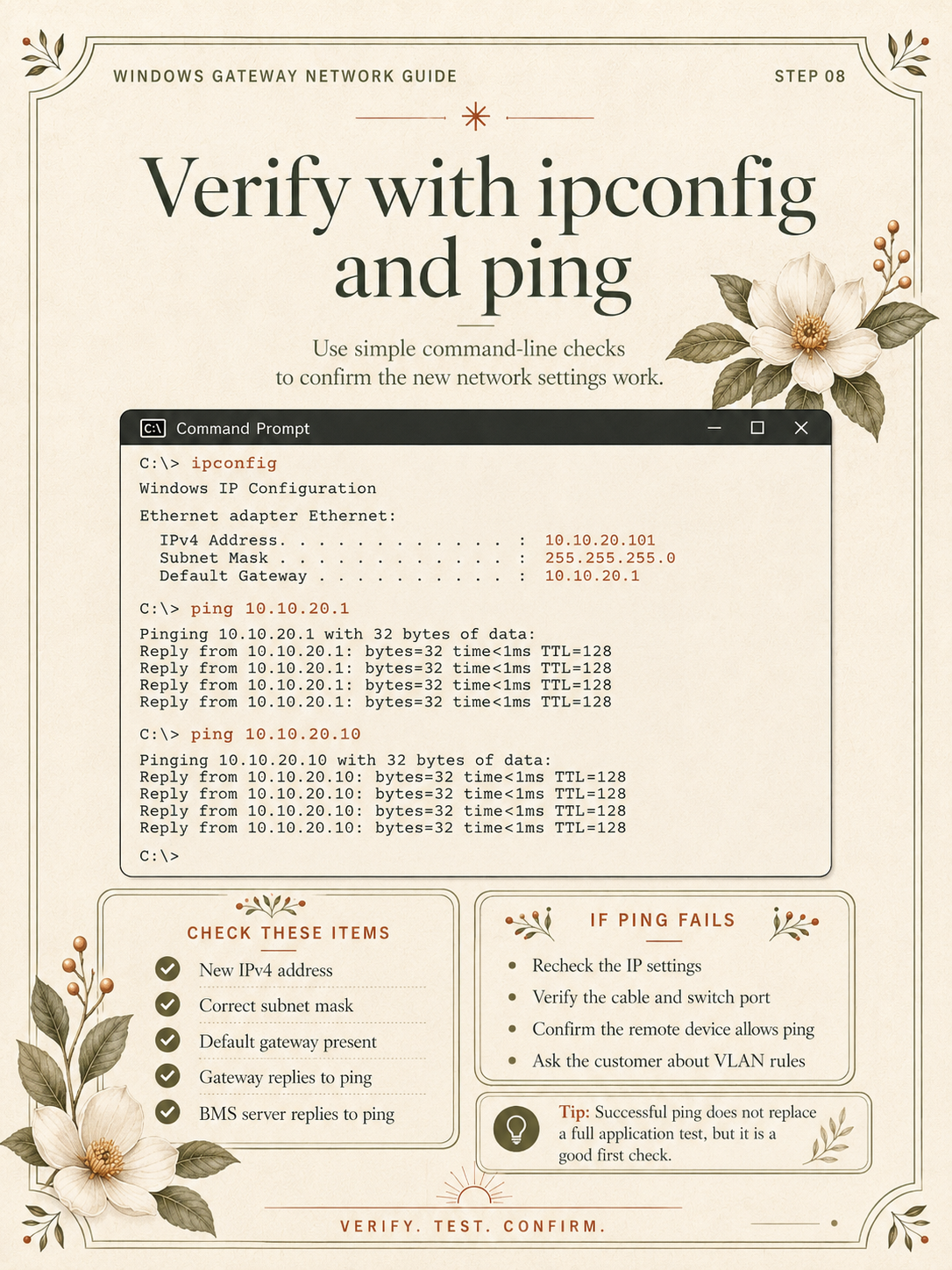
Verify with ipconfig and ping
-
09
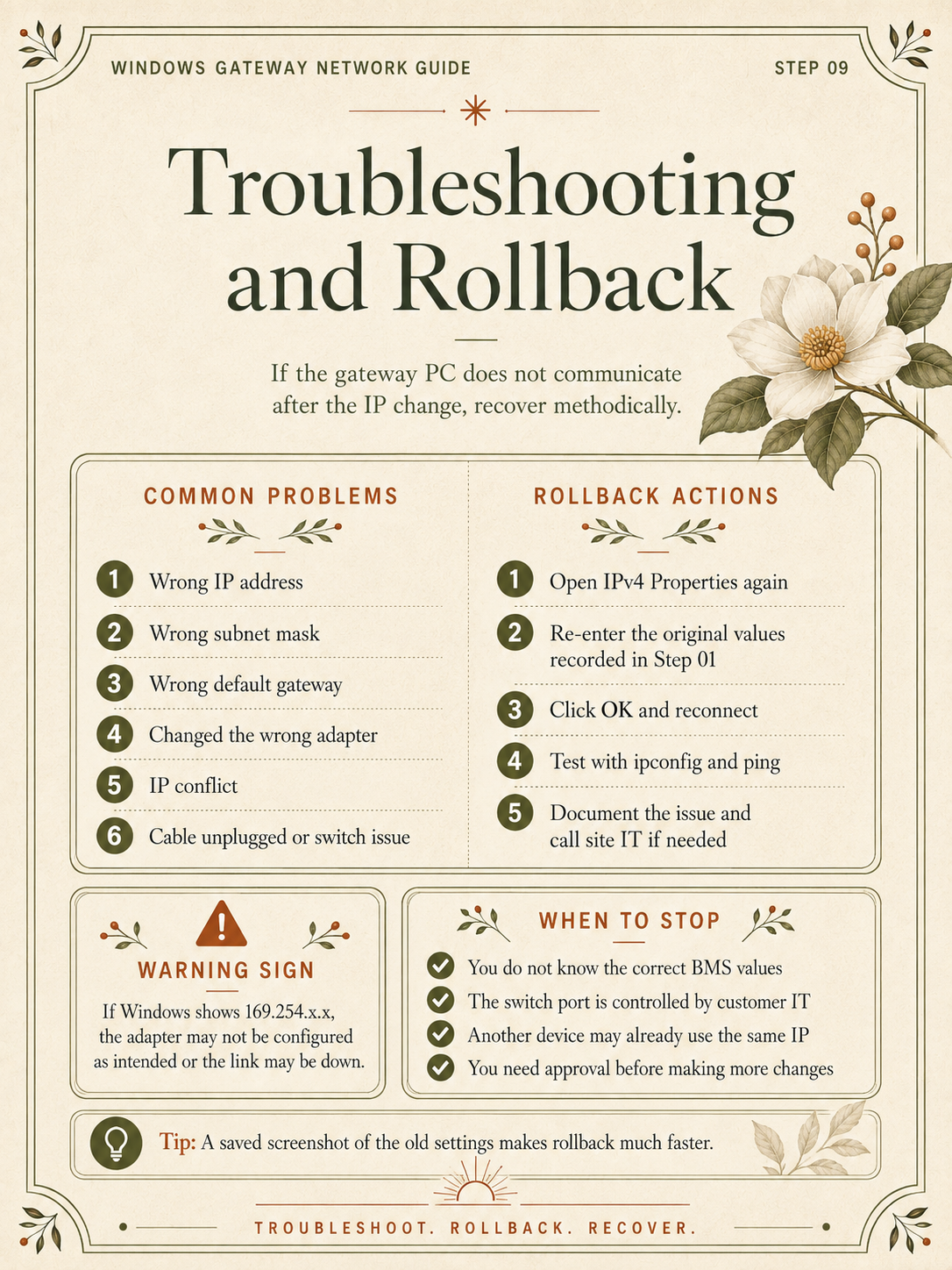
Troubleshooting and rollback