RETRAGREEN RESOURCE LIBRARY // GATEWAY GUIDE
Connect the Retragreen Gateway
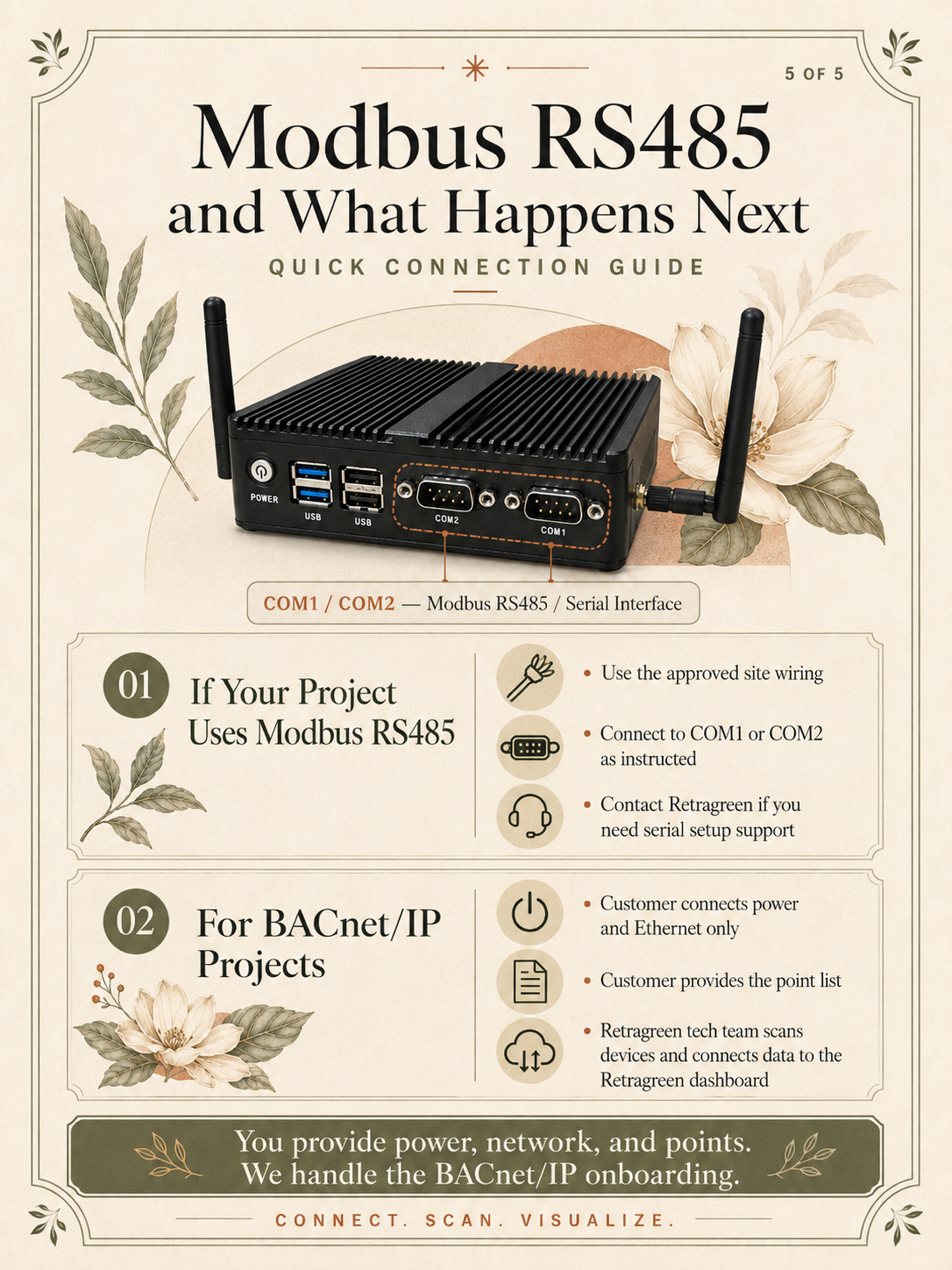
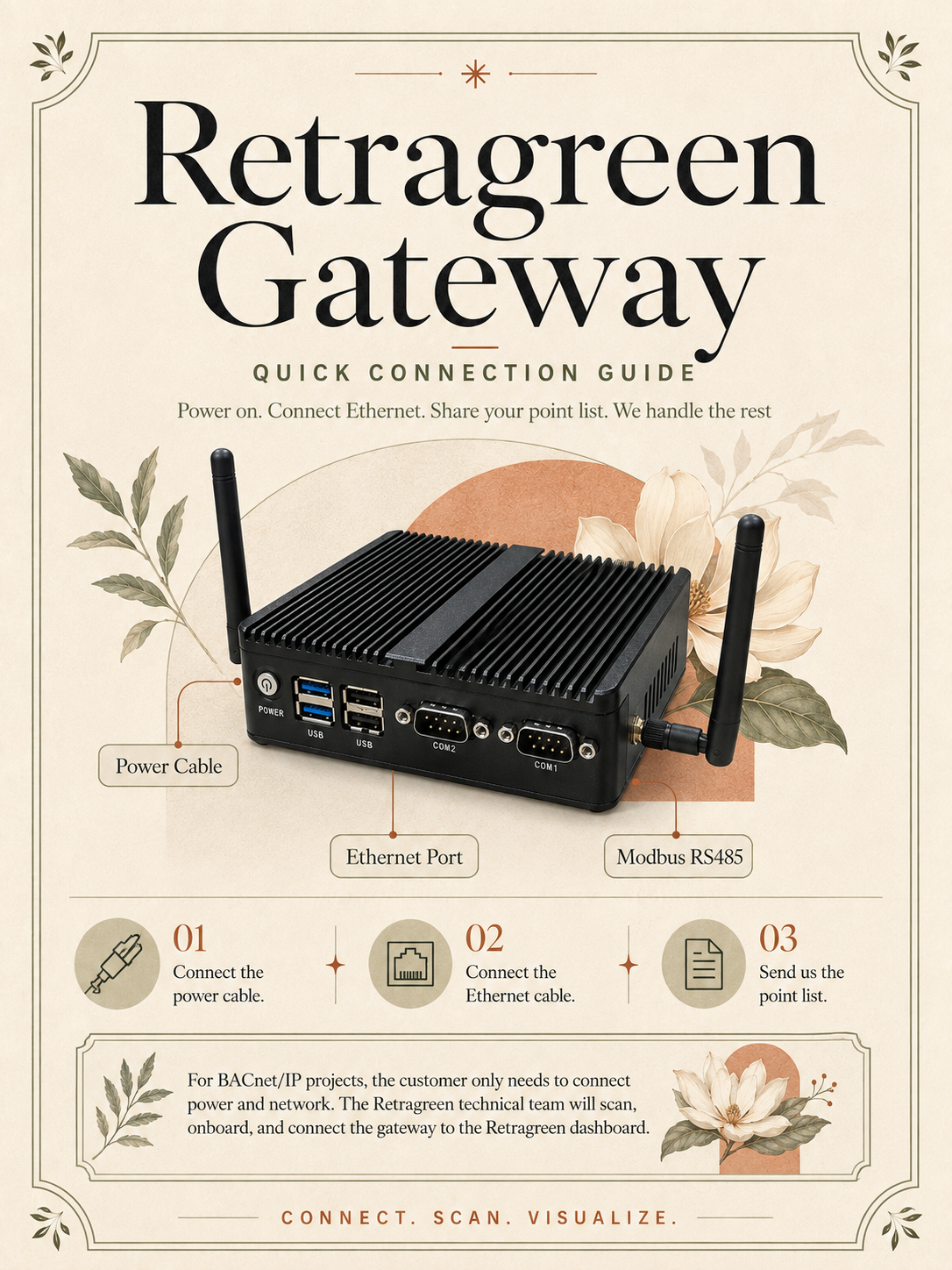
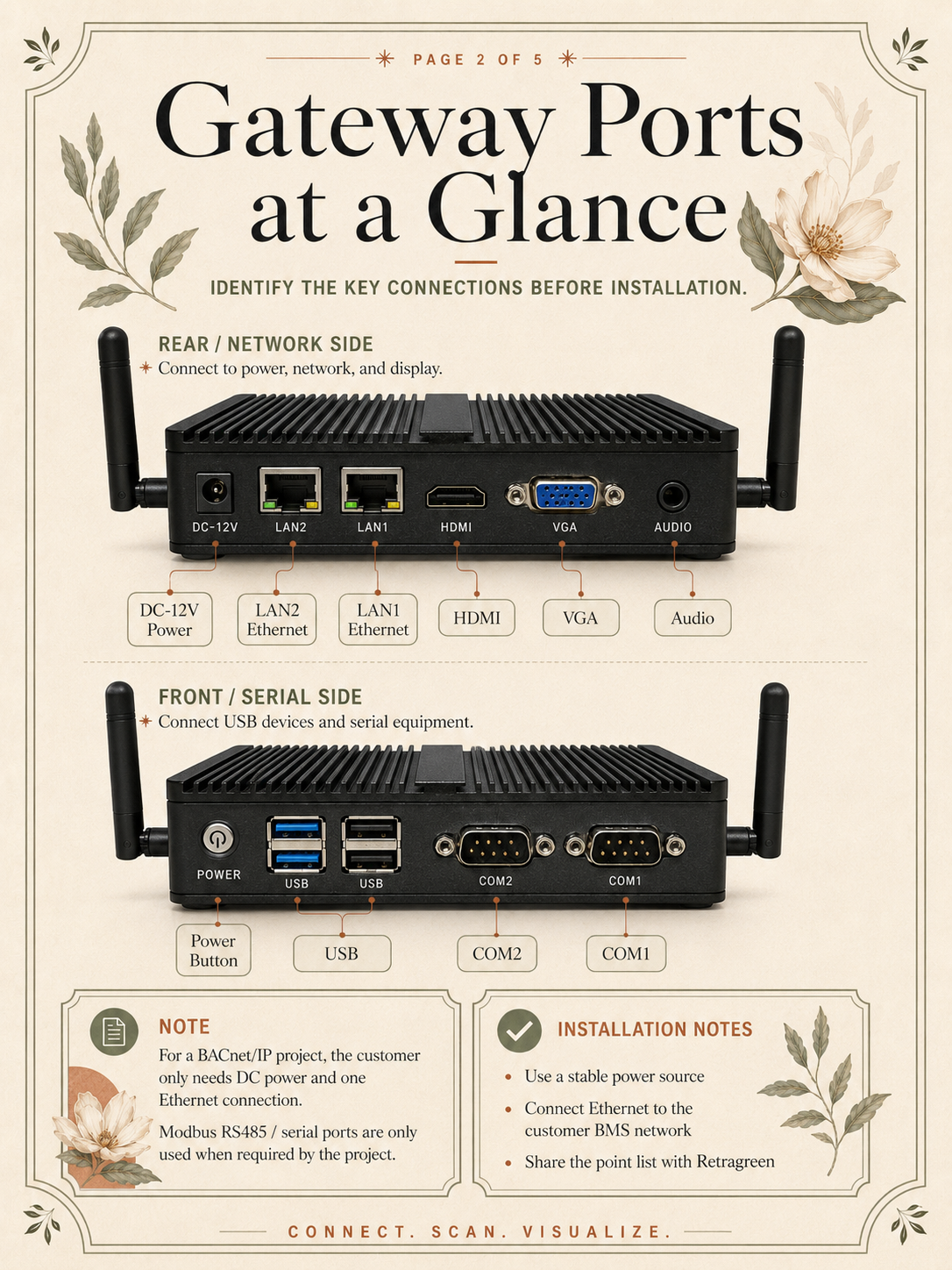
Power the gateway, connect it to the customer BMS network and identify the ports required for BACnet/IP or Modbus RS485 projects.
Start the visual guide
BEFORE INSTALLATION
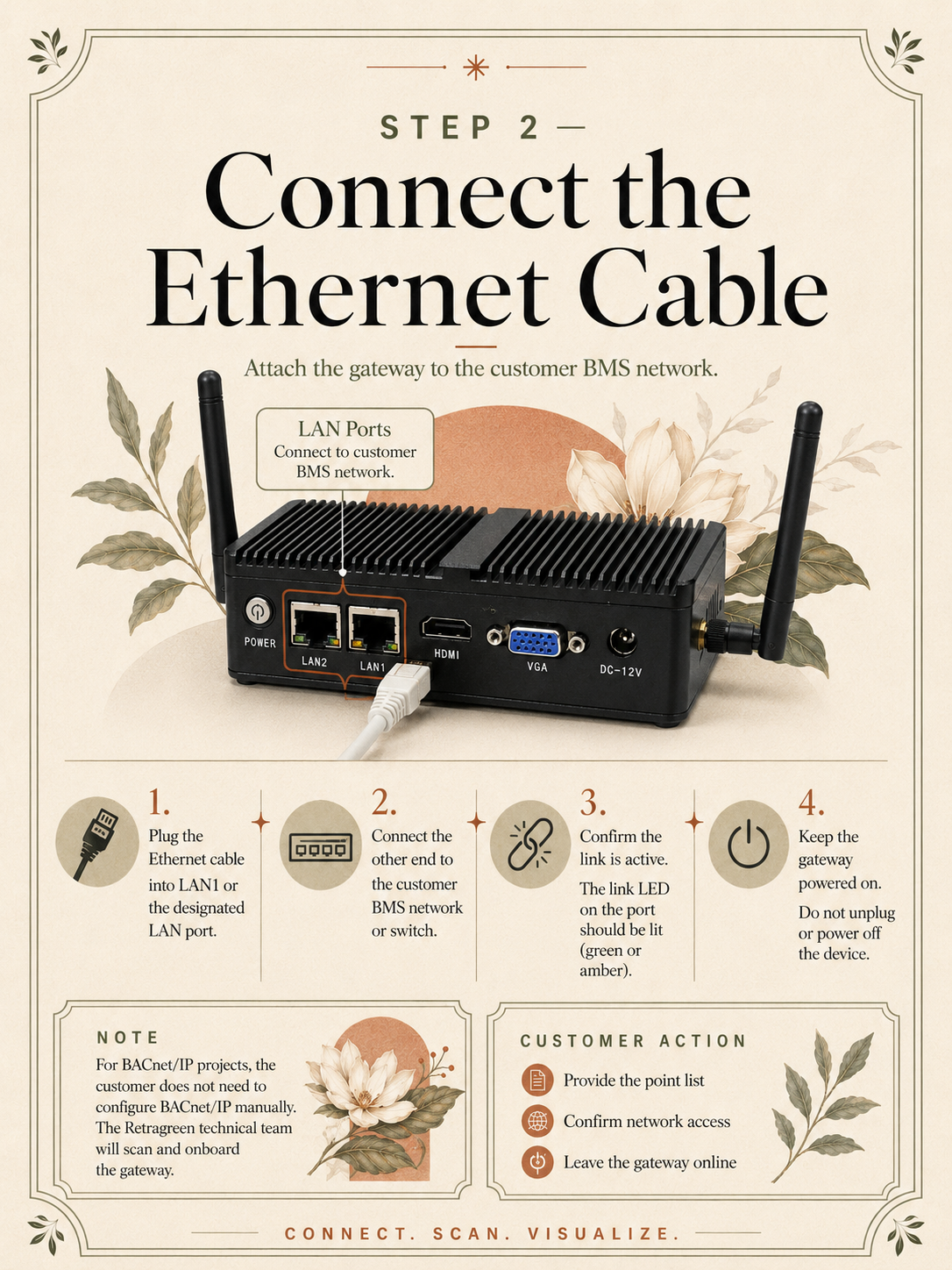
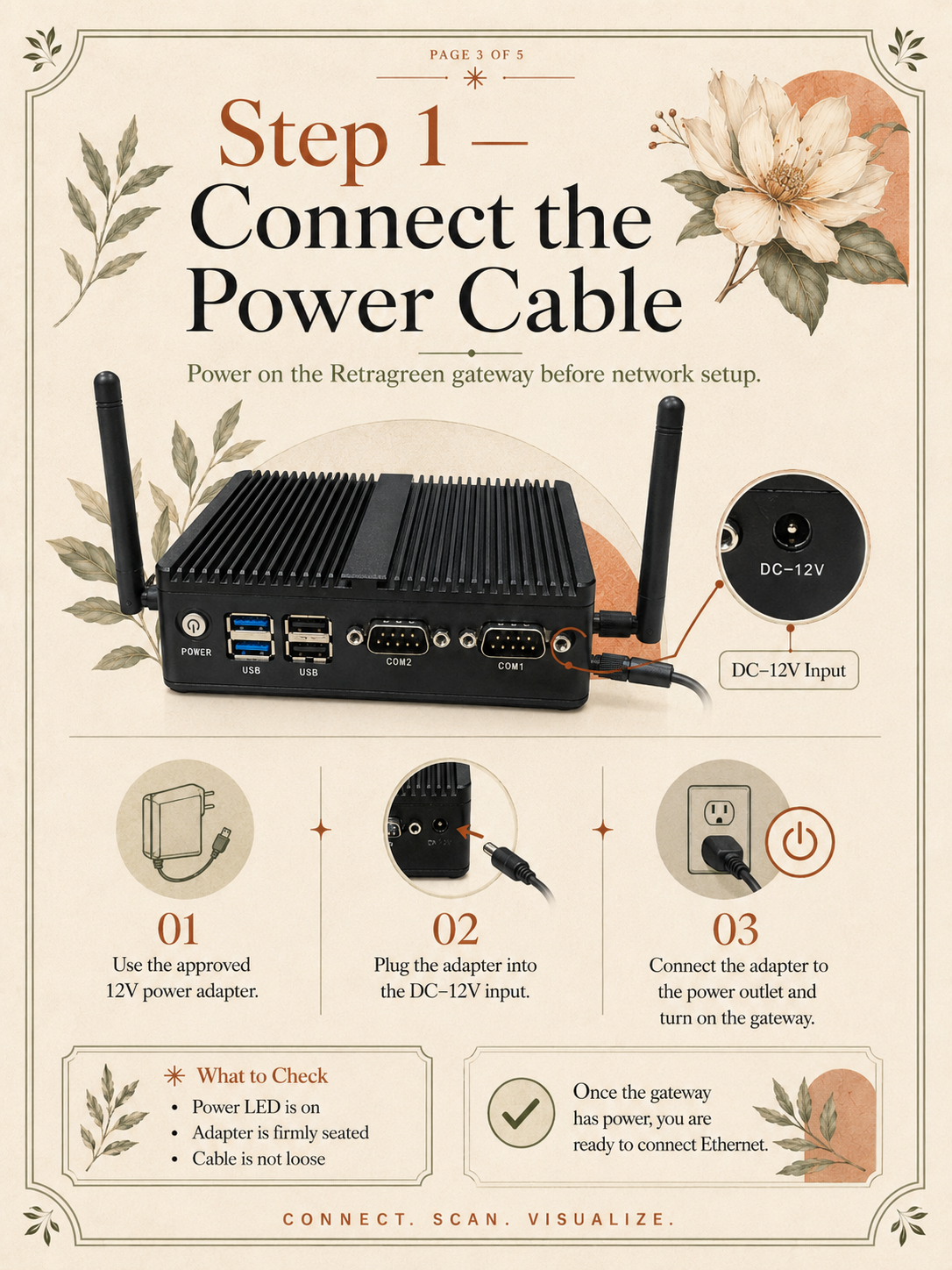
Use the approved power adapter and site wiring. Confirm the customer network connection and provide the approved point list before onboarding begins.
5-PART VISUAL CONNECTION GUIDE
Power. Connect. Scan. Visualise.
Follow the diagrams in filename order, from the quick overview through gateway ports, power, Ethernet and optional serial connections.
-
00
Retragreen gateway quick connection overview
-
01
Gateway ports at a glance
-
02
Connect the Ethernet cable
-
03
Connect the power cable
-
04
Modbus RS485 and what happens next