RETRAGREEN RESOURCE LIBRARY // BMS DATA GUIDE
How to Scan a BMS System
Use YABE to connect to a BACnet building management system, discover visible controllers, inspect objects and collect live building data.
Start the visual guide
READ-ONLY FIRST
Only connect with site approval. Confirm the network, BACnet settings and target controller before scanning, and do not write values to a live system unless you are authorised.
10-PART VISUAL INSTALLATION GUIDE
Connect. Discover. Read. Analyse.
Follow the diagrams in order from overview and preparation through discovery, live data collection, export and troubleshooting.
-
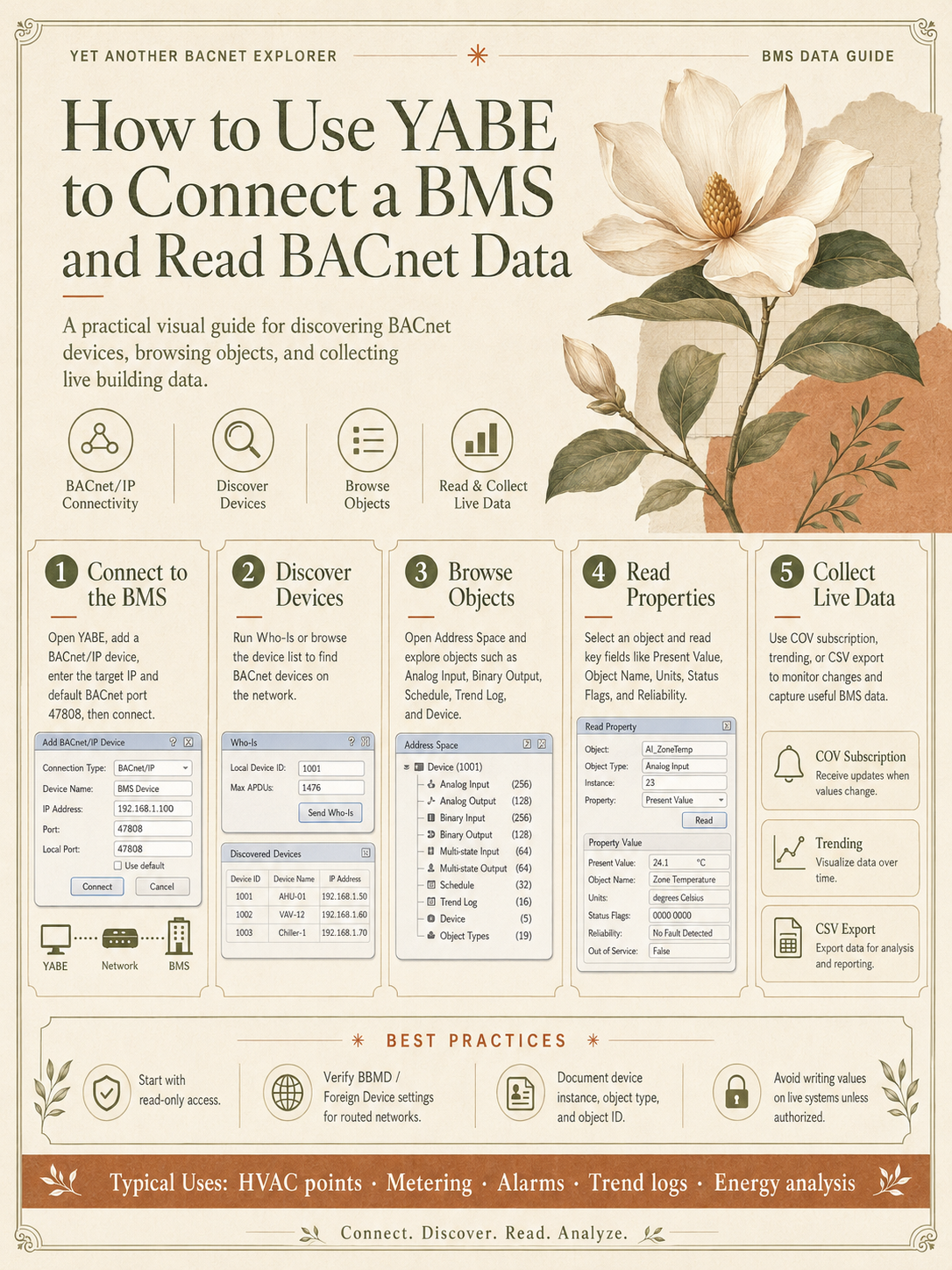
00
Guide overview — connect a BMS and read BACnet data
-
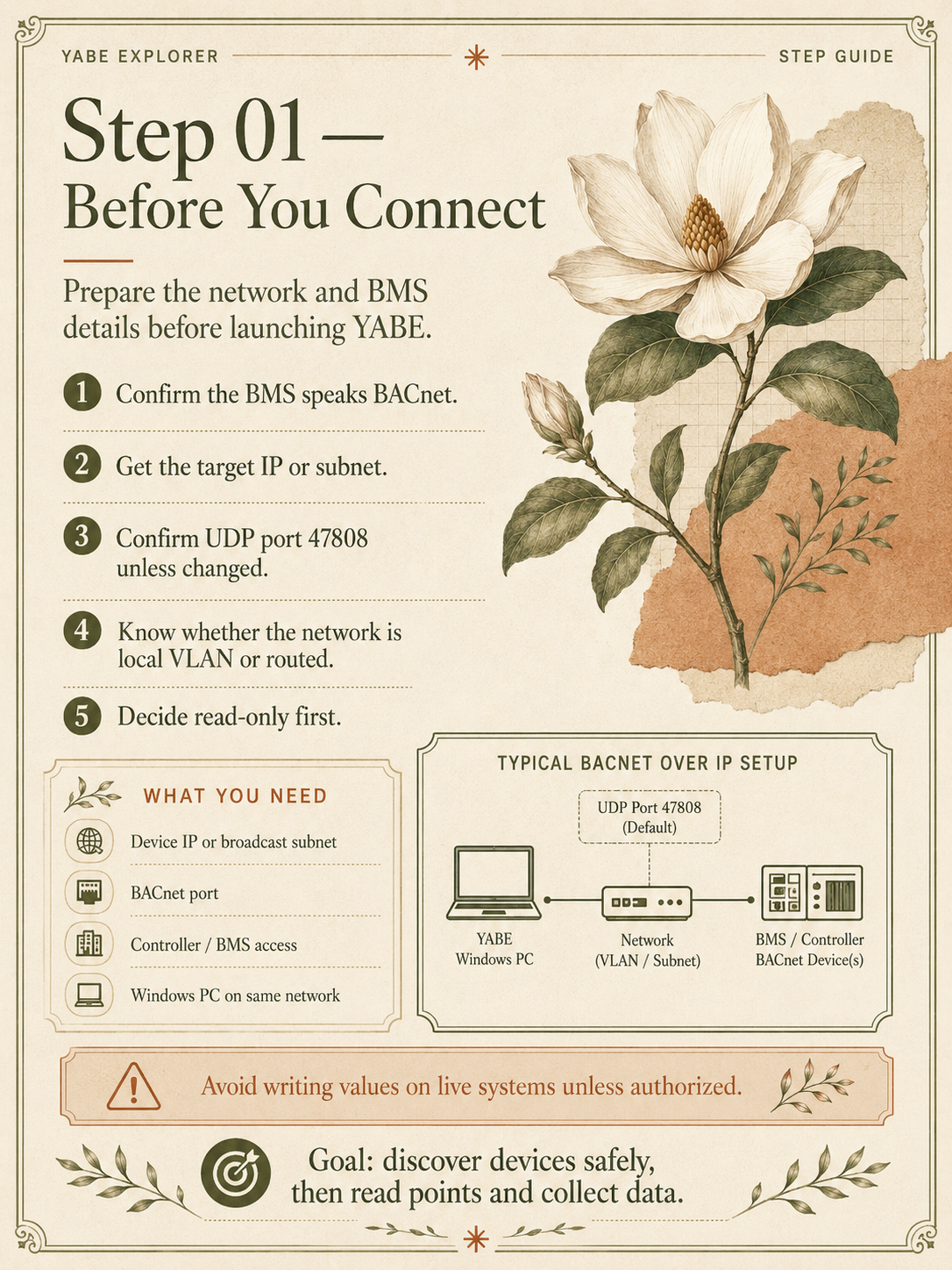
01
Before you connect
-
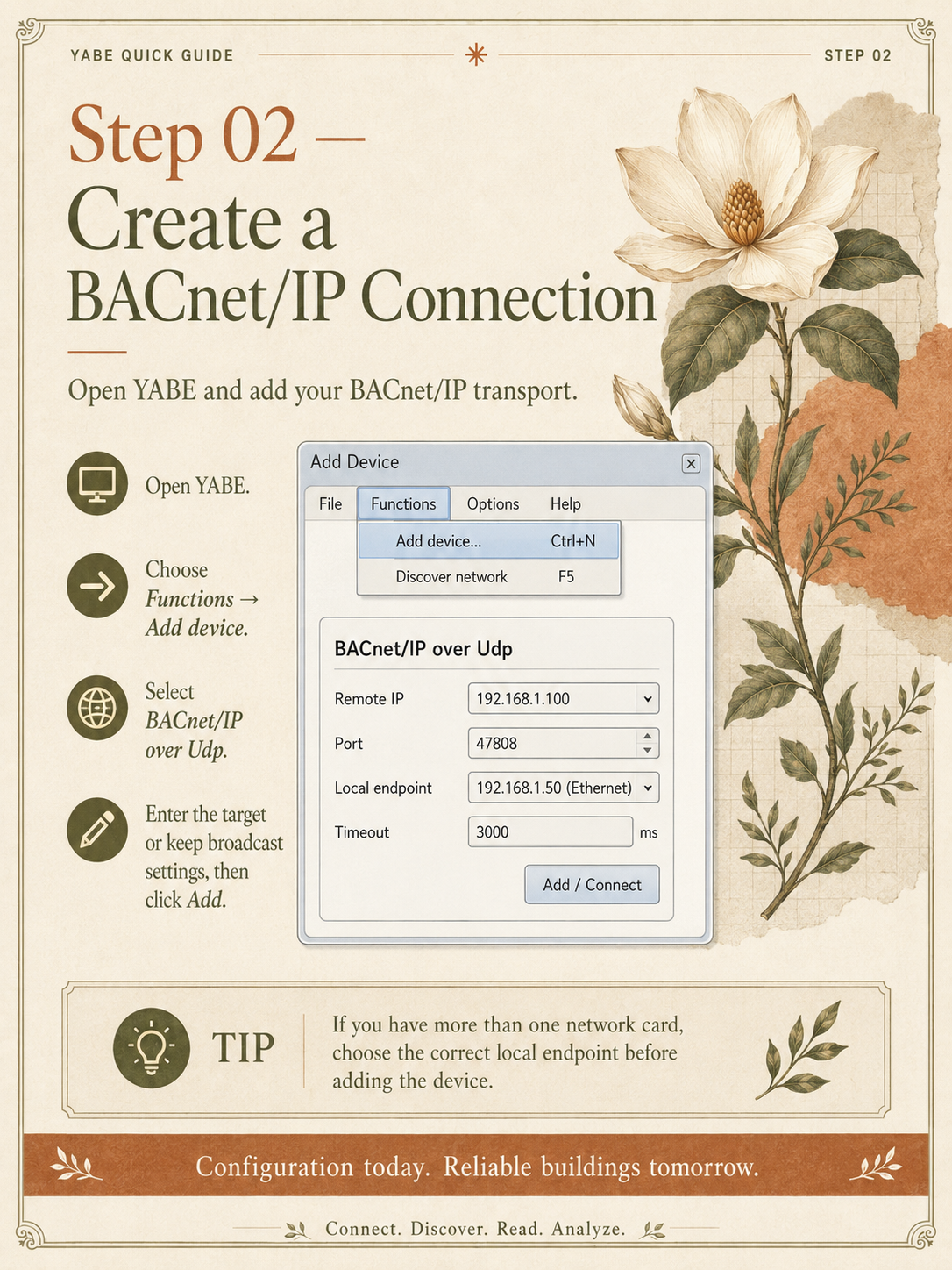
02
Create a BACnet/IP connection
-
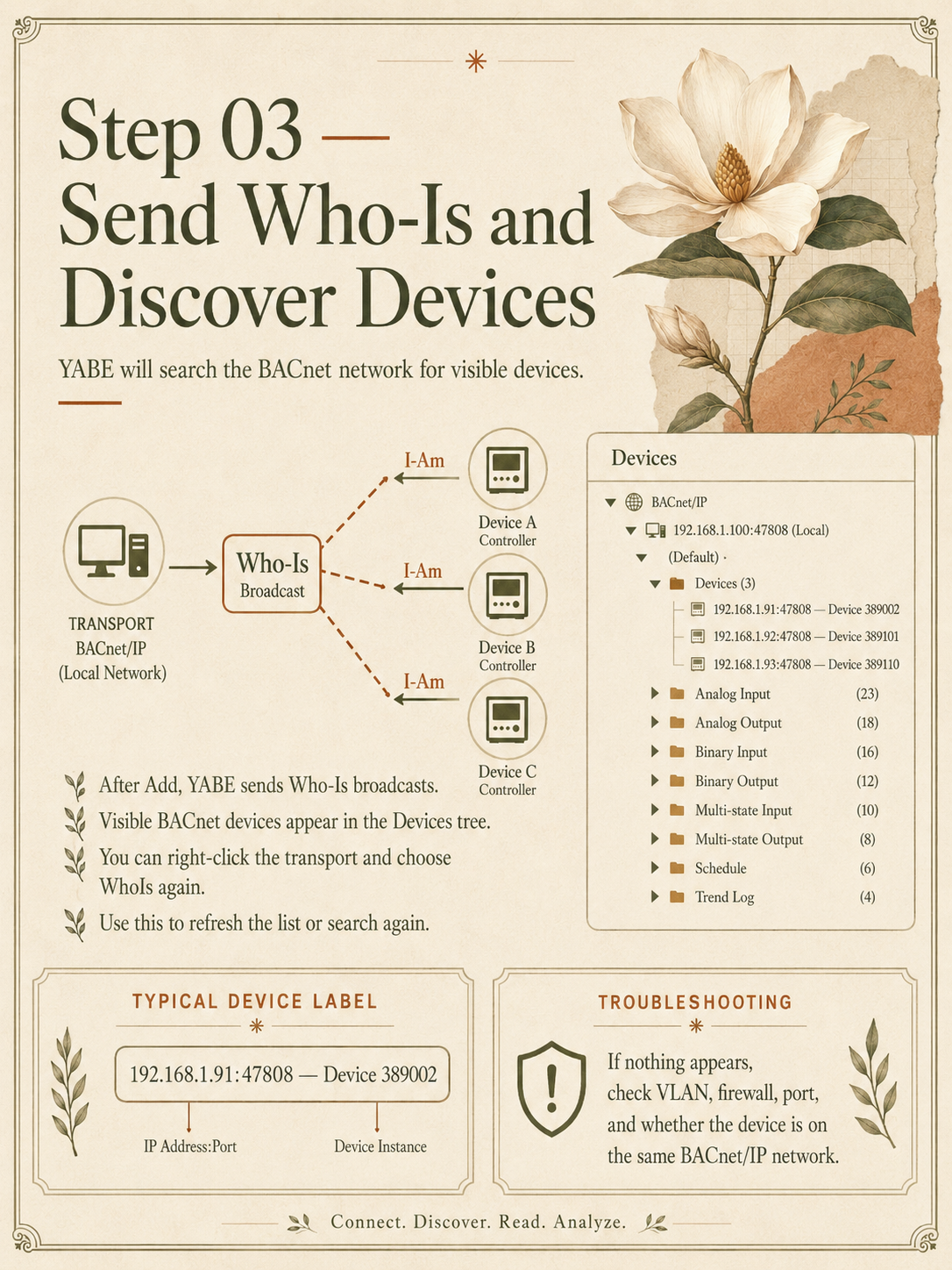
03
Send Who-Is and discover devices
-
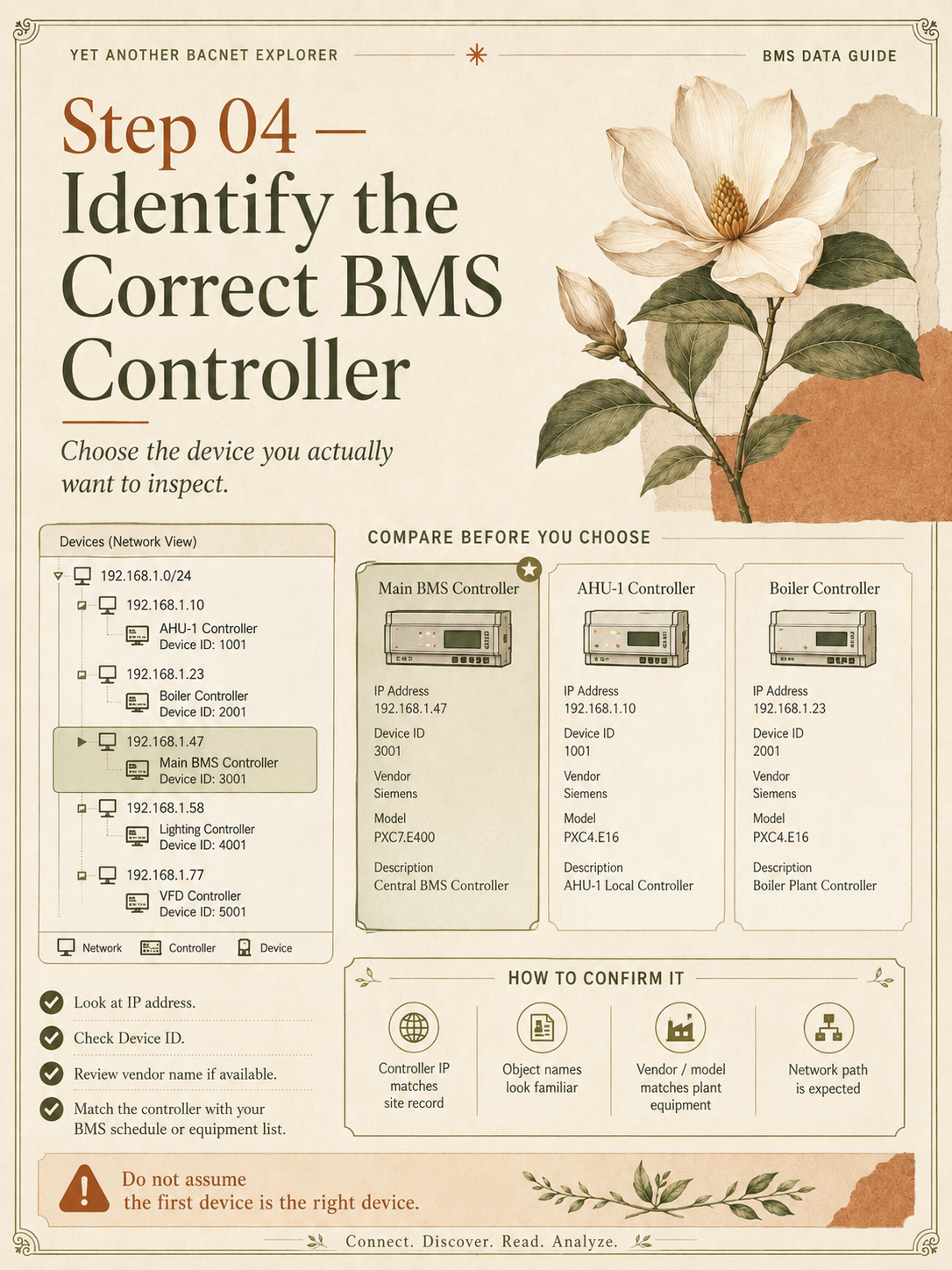
04
Identify the correct BMS controller
-
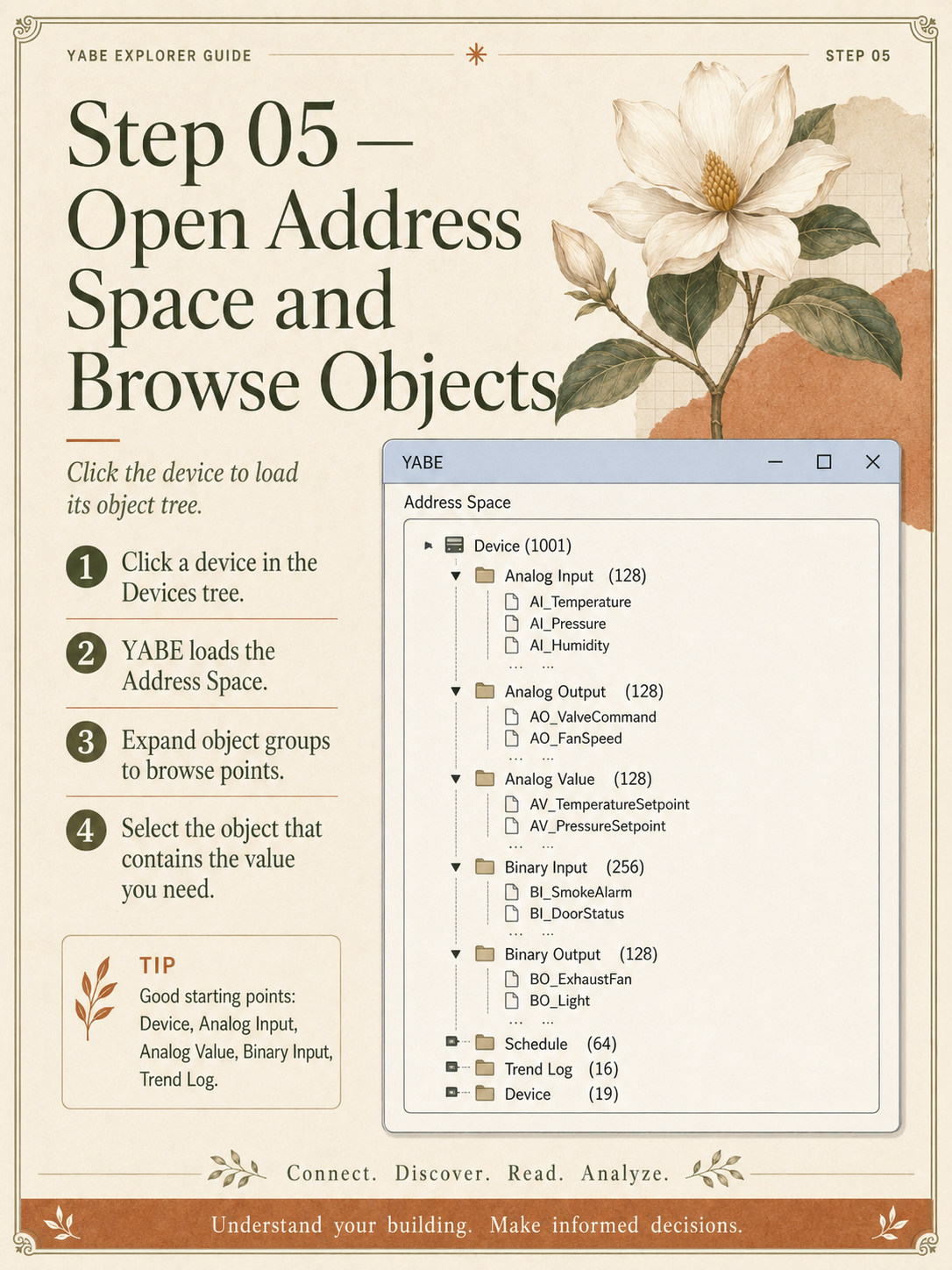
05
Open Address Space and browse objects
-
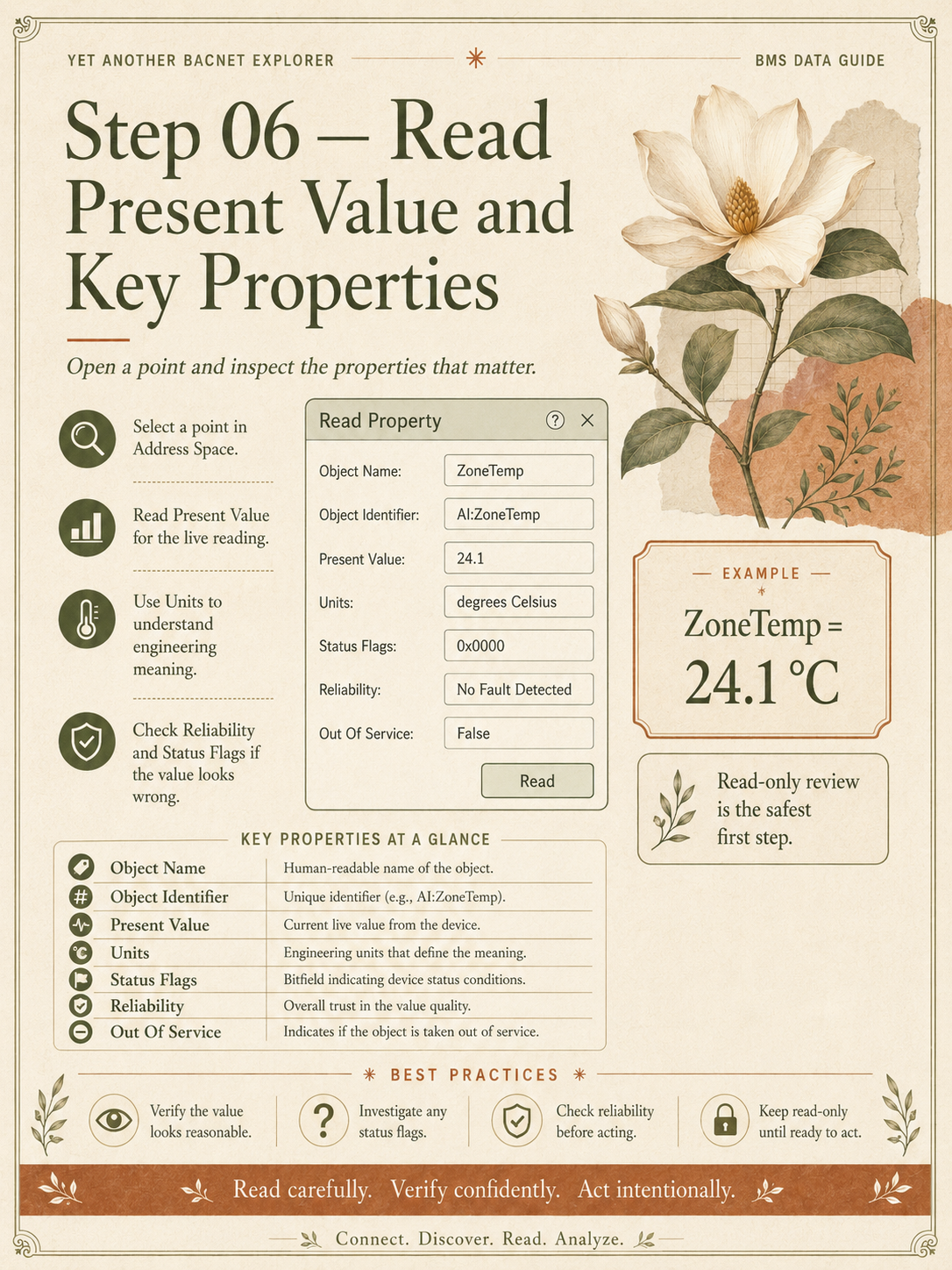
06
Read Present Value and key properties
-
07
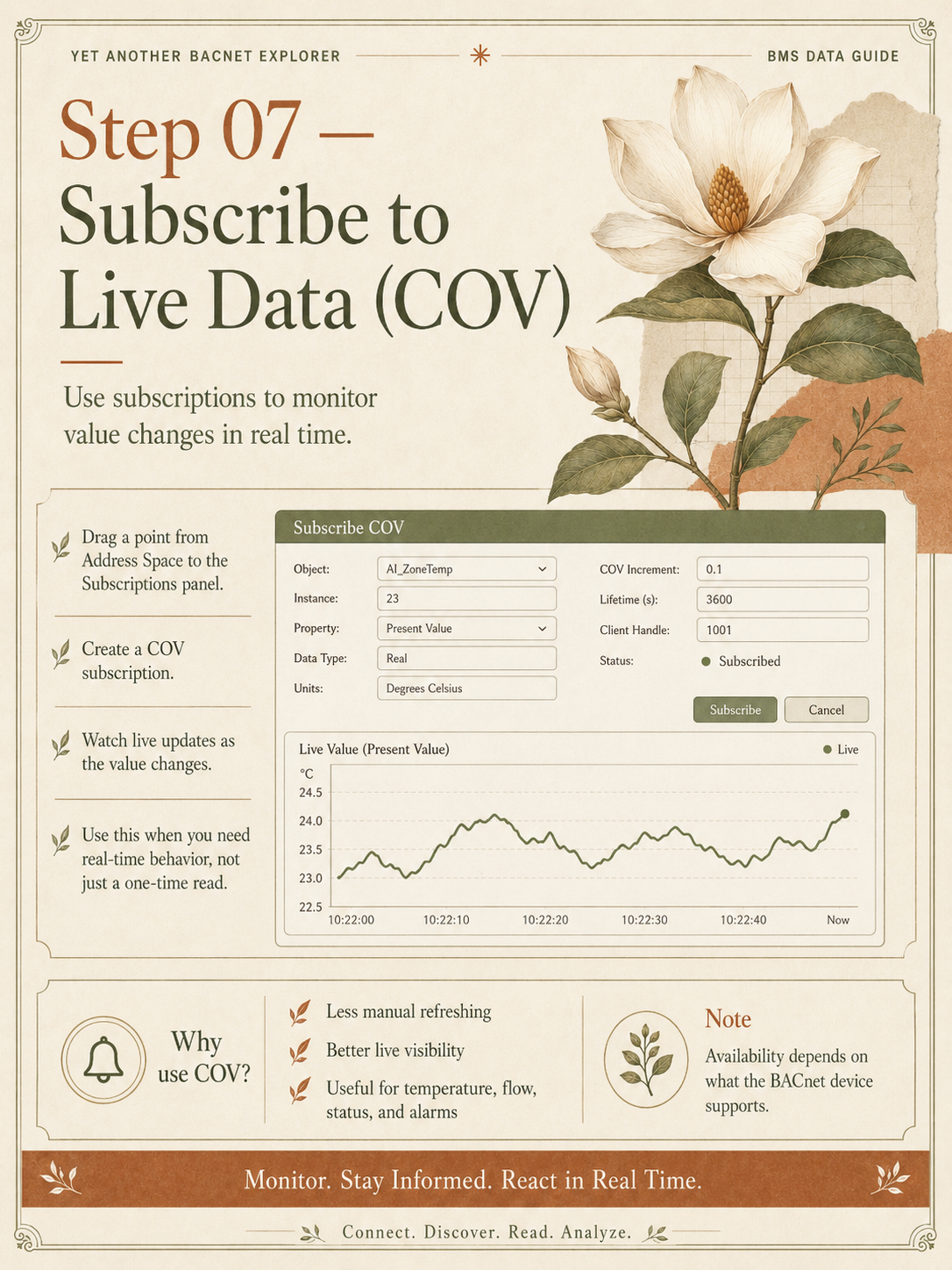
Subscribe to live data with COV
-
08
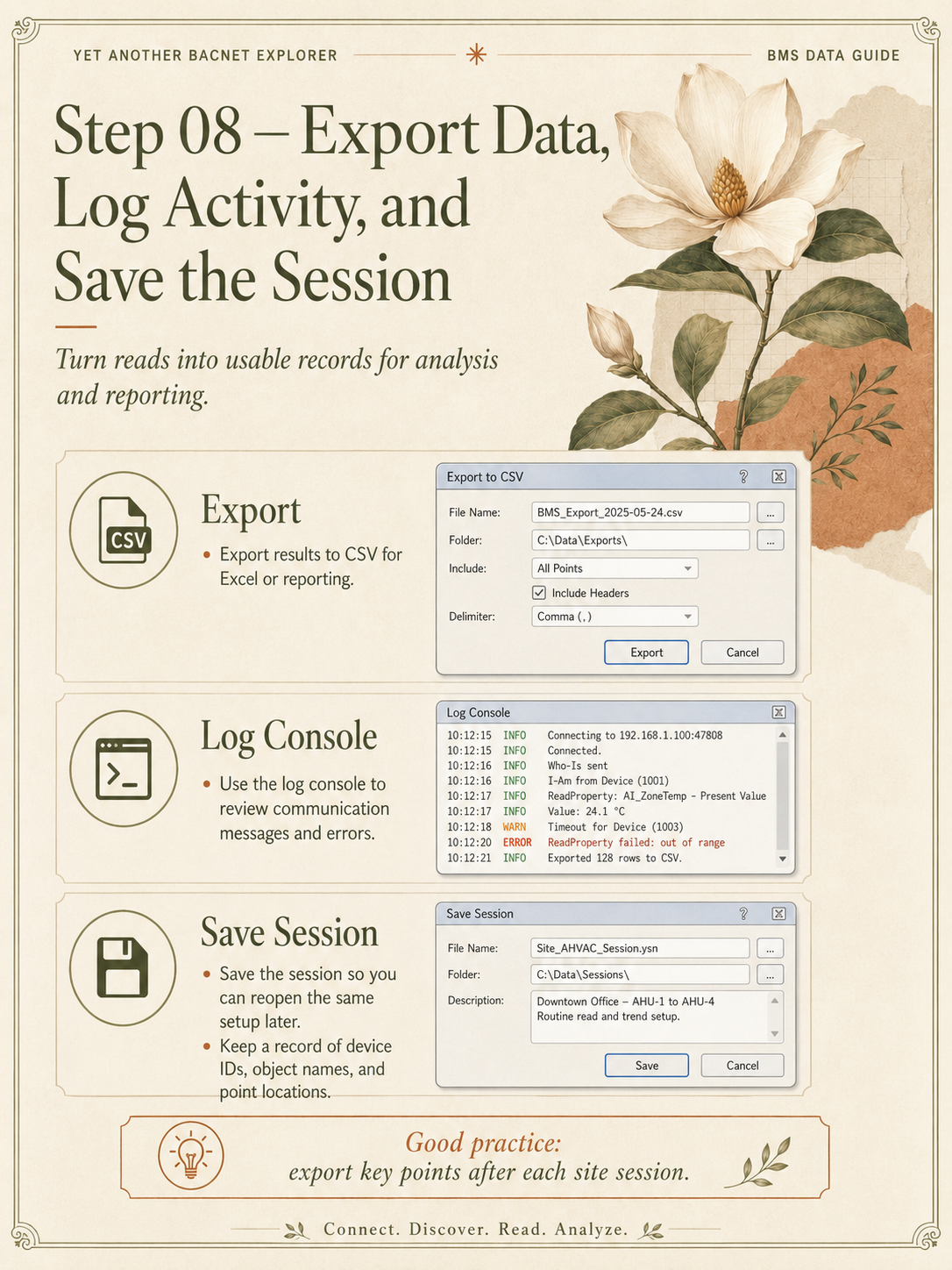
Export data, log activity and save the session
-
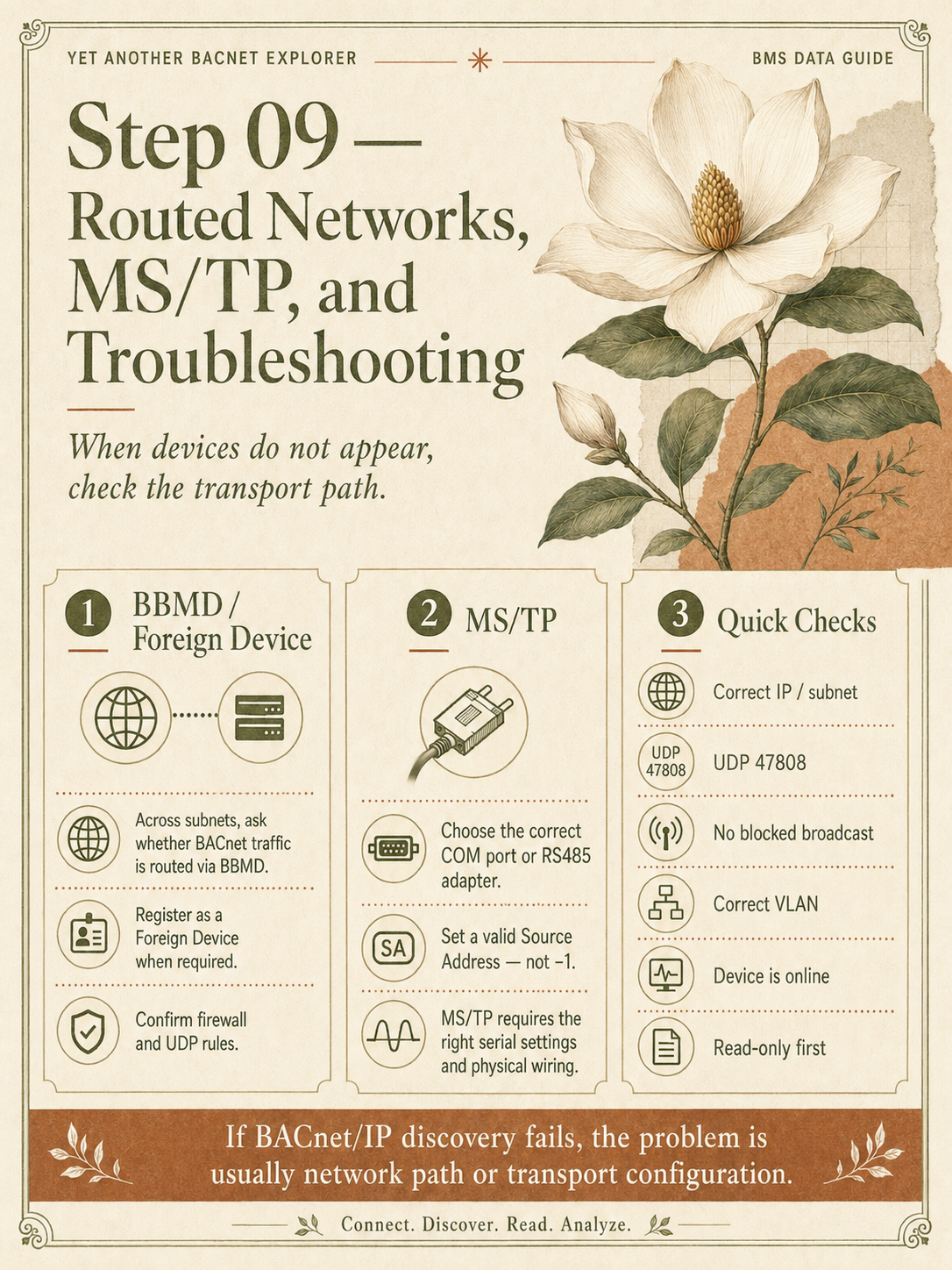
09
Routed networks, MS/TP and troubleshooting